
Five flows. One set of data, from start to finish.
Each step shows the real screen and your click. What is created in one stage carries over to the next, with nobody retyping it.
From first contact to "yes," with no pipeline spreadsheet.
The lead becomes a deal, gets a PDF quote, the client’s answer is recorded and, when the deal is won, the project, service order or contract is created.
- 1
The lead comes in and becomes a deal
You register the lead (or import a list), make the first contact and, when it is worth pursuing, convert it into a deal on the pipeline.
You: Qualifies the lead and converts it.
✓ Creates the task to convert the lead✓ Carries the lead data into the deal✓ Places the deal on the pipeline stage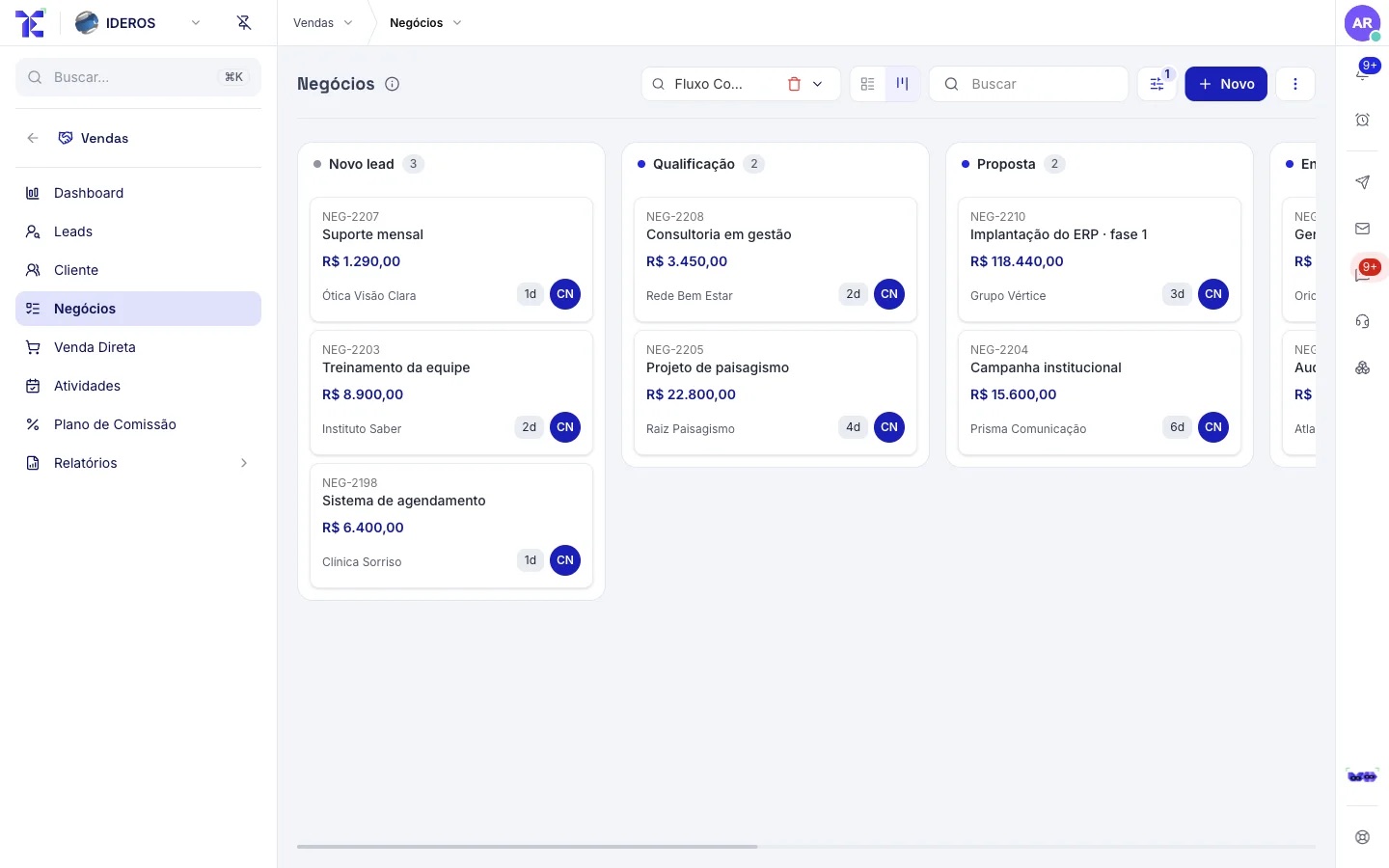
- 2
A PDF quote
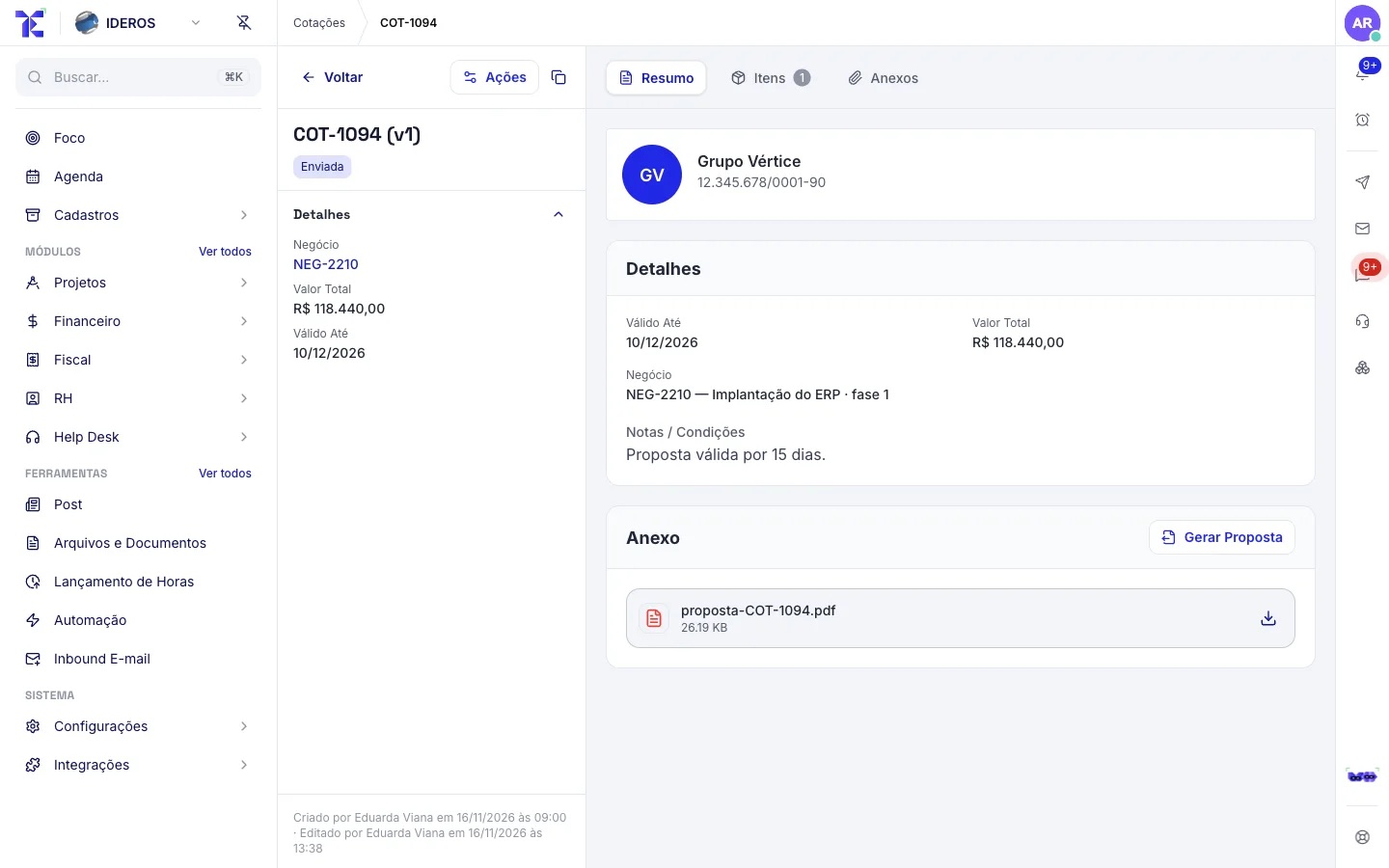
Build the quote from the deal’s items. The PDF comes from your company template and goes to the client by email.
You: Picks the items and sends.
✓ Adds up the items and the total✓ Creates the PDF from the company template✓ Sends it by email with the PDF attached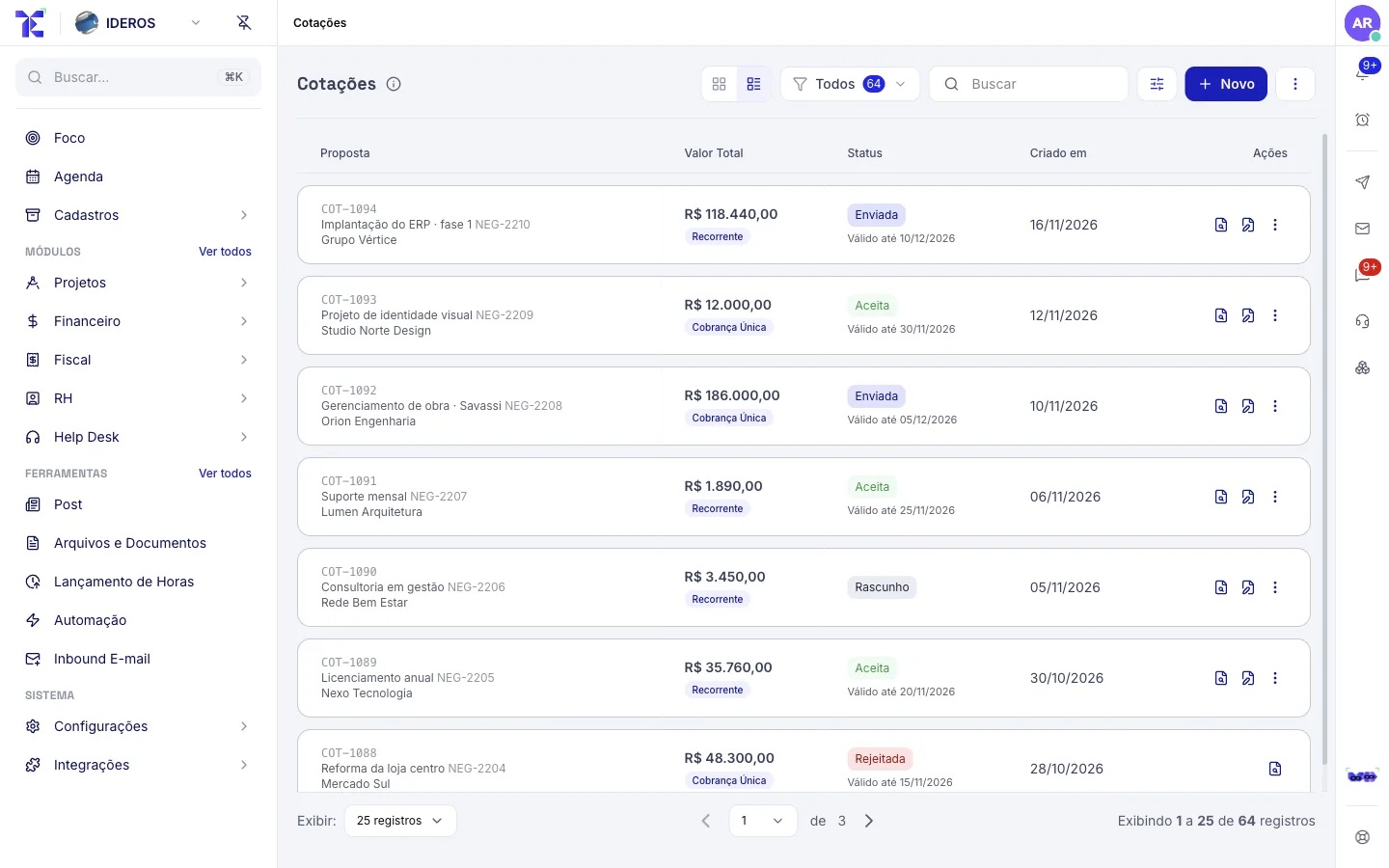
- 3
The client’s answer
The client replies to you and your team records the answer on the quote. Once accepted, the deal is approved and its other open quotes are closed.
You: Records the answer.
✓ Marks the deal as approved✓ Closes the deal’s other open quotes✓ Creates the task "Formalize contract"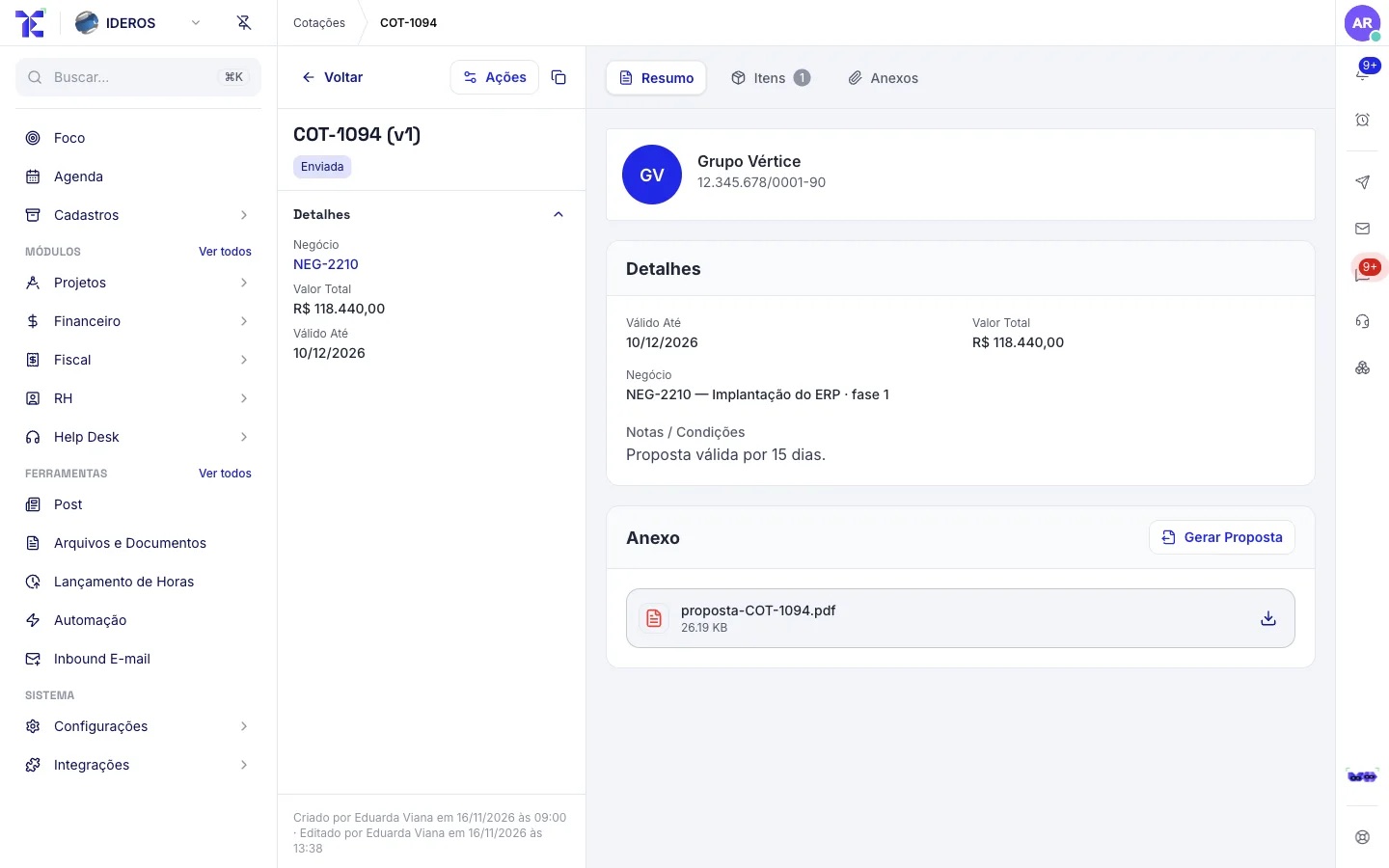
- 4
The sale becomes a project and a contract
When you mark the deal as won, you choose how it will be delivered: project, service order or measurement. Tesselys creates what you chose and, if you tick it, the contract.
You: Marks it as won and picks the delivery.
✓ Creates the project or service order✓ Creates the contract, if you tick it✓ Records the win on the pipeline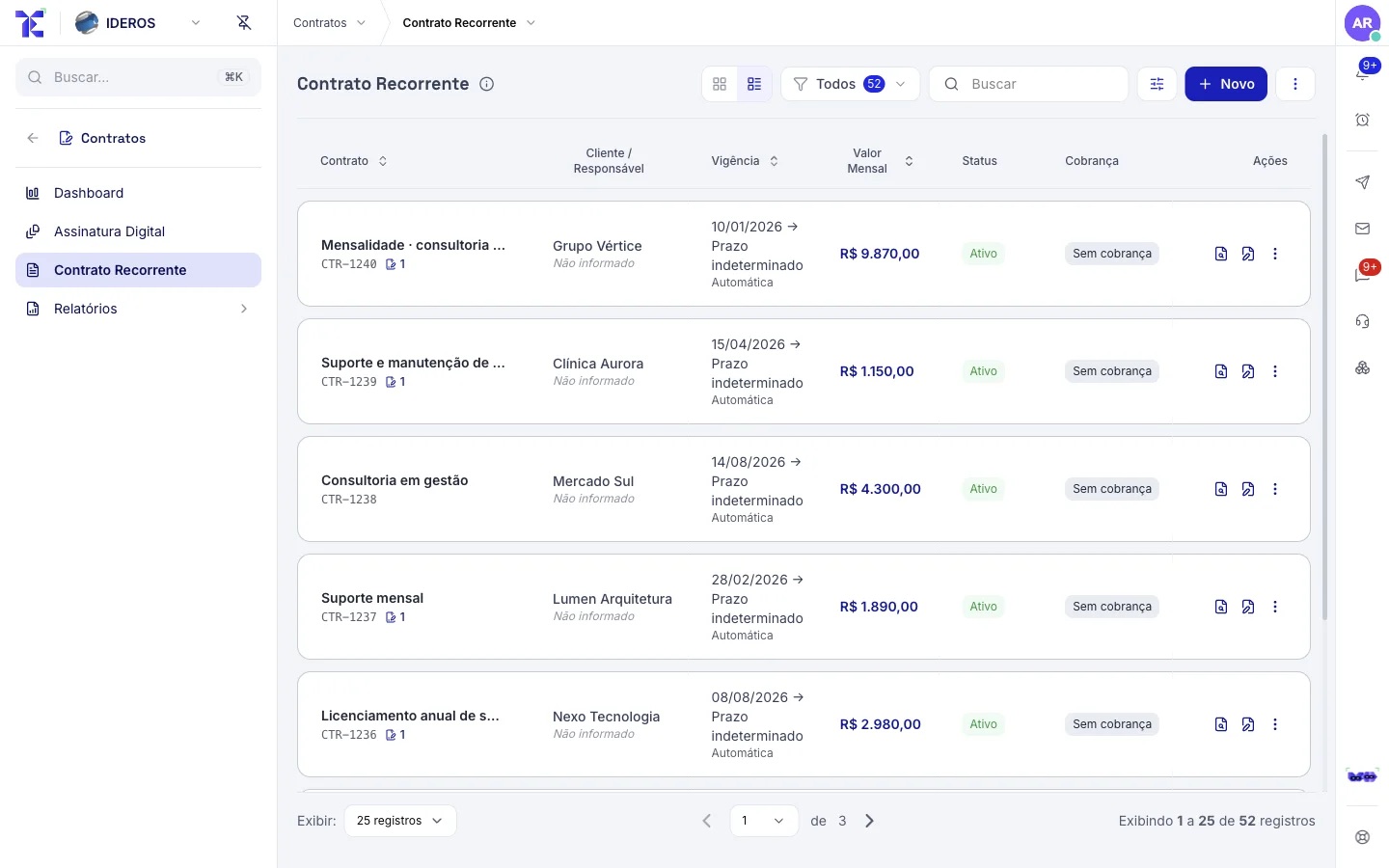
What was sold becomes work, and the work becomes real cost.
The project organizes the work in kanban; hours and purchases become project cost; measurement tells you how much to bill for the period.
- 1
Project on the kanban
Epics, waves, tasks with owner, due date and dependencies. Each person sees what is theirs.
You: Assign and track tasks.
✓ Flags overdue tasks✓ Shows each person’s workload✓ Updates project progress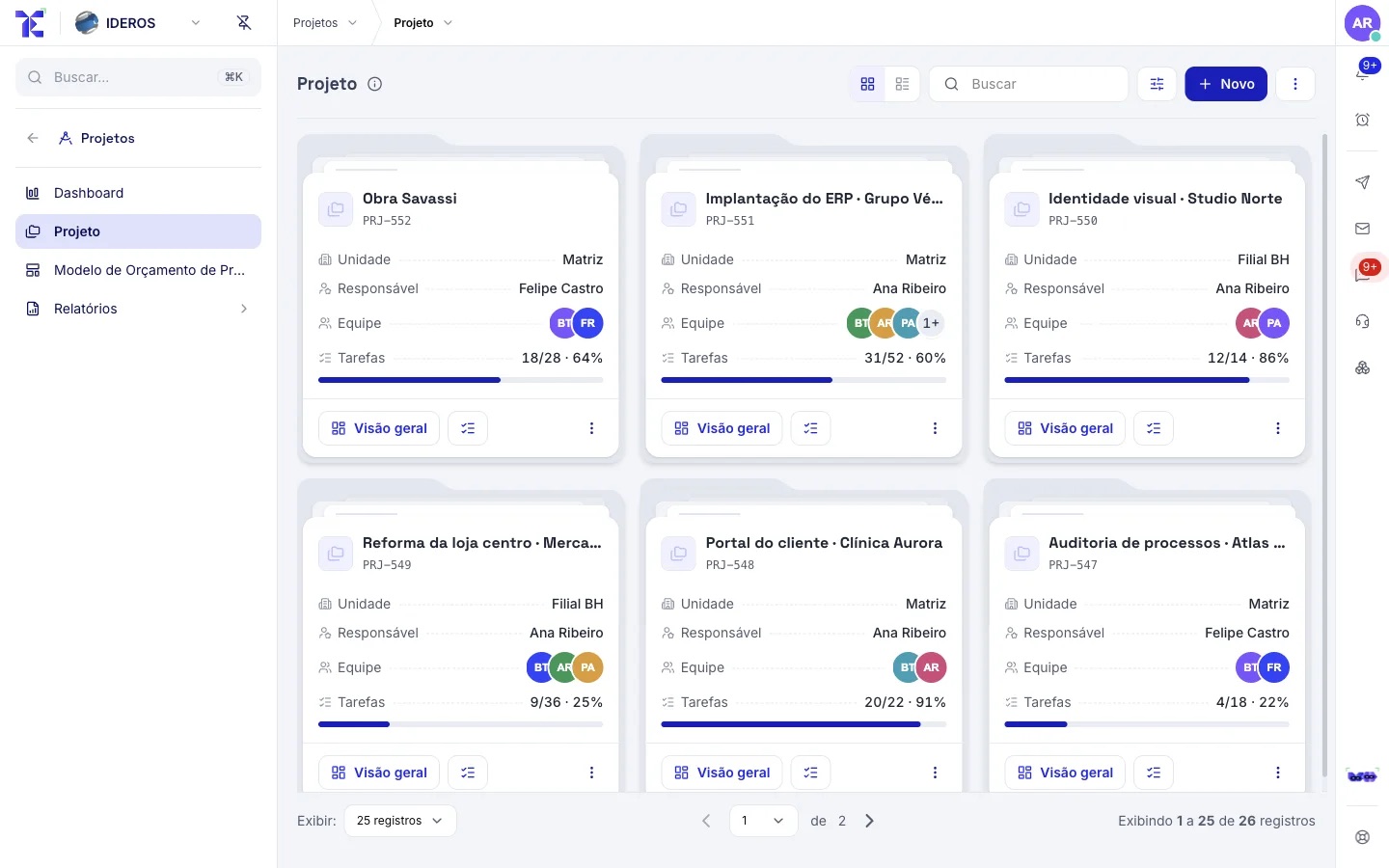
- 2
Hours and purchases become cost
The team logs hours; purchases from the order are linked to the project. It all becomes real cost, not an estimate.
You: Log hours and approve purchases.
✓ Multiplies hours by each person’s cost✓ Adds up linked purchases✓ Compares with the project budget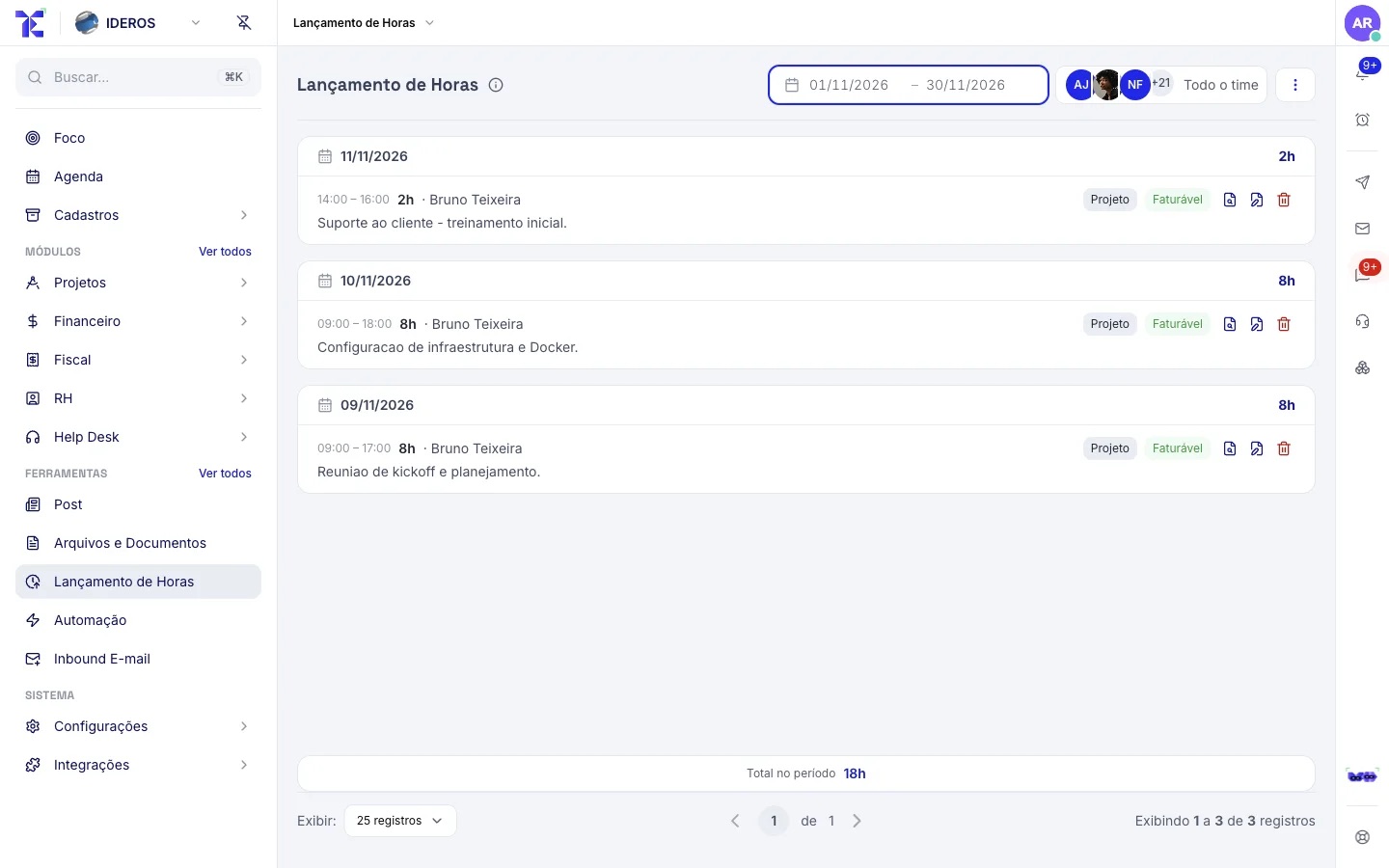
- 3
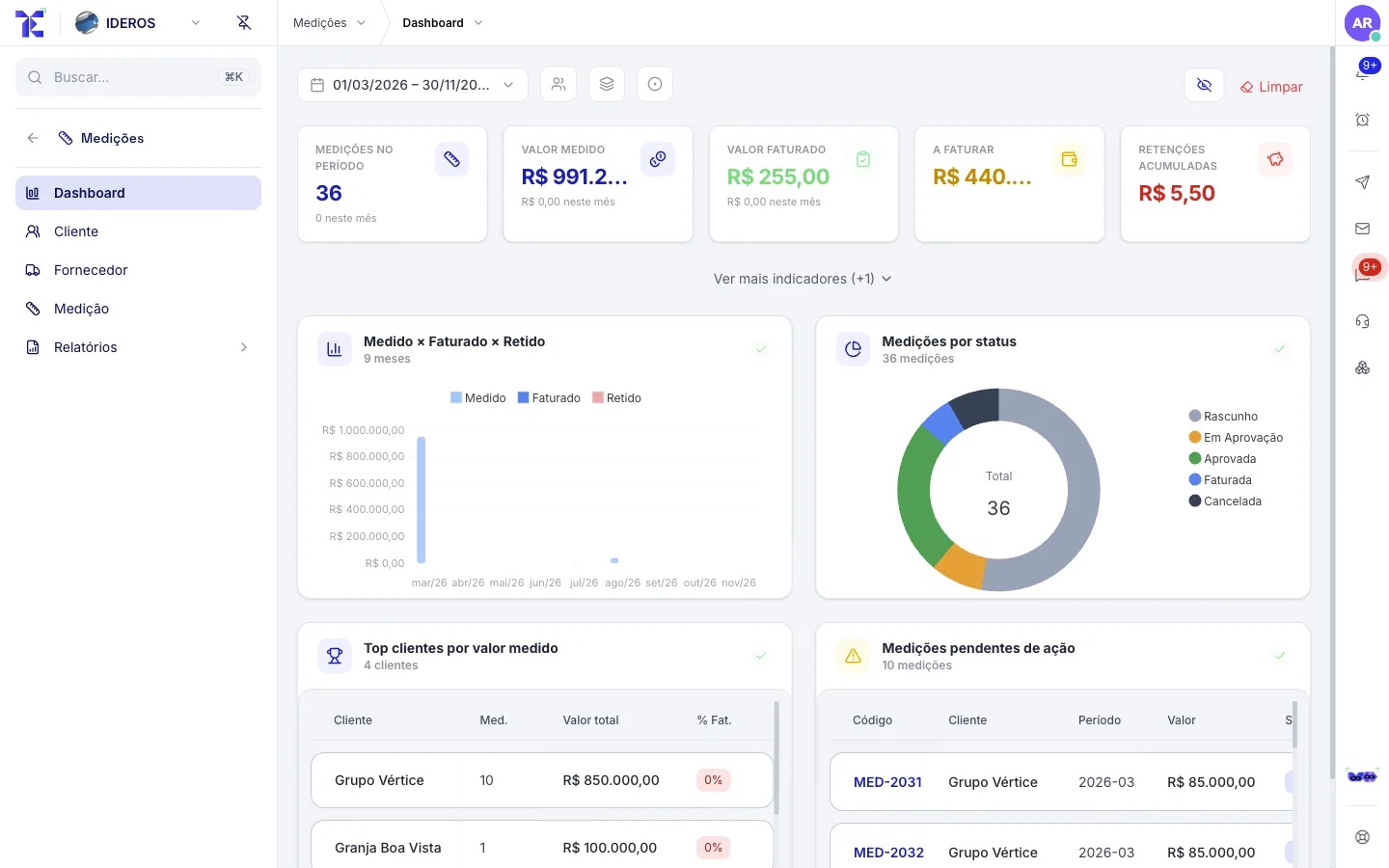
Period measurement
At the end of the period, you record what was delivered. Once approved, the measurement becomes billing: the entry and, if you want, the invoice and the charge.
You: Records it and sends it for approval.
✓ Calculates retention and net amount✓ Goes through the approval flow✓ Creates the billing once approvedA measurement only bills after it is approved. Full rules in the guide →
The invoice goes out, the charge goes with it, the money comes in and reconciles.
Provisioning creates the contracts’ cycles; the invoice comes out ready through the Emissor Nacional; boleto and Pix go along; reminders notify the client; payments settle on their own.
- 1
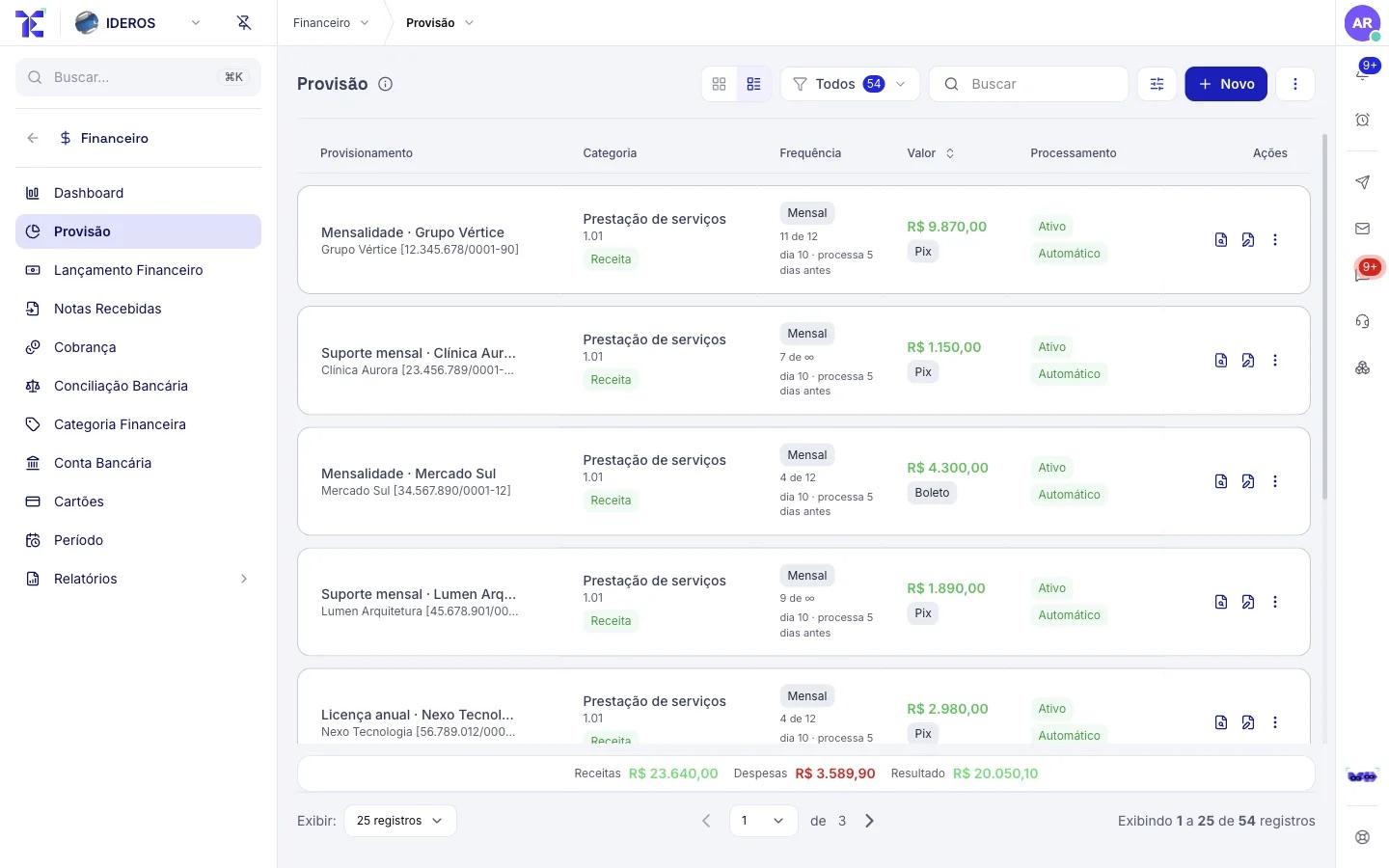
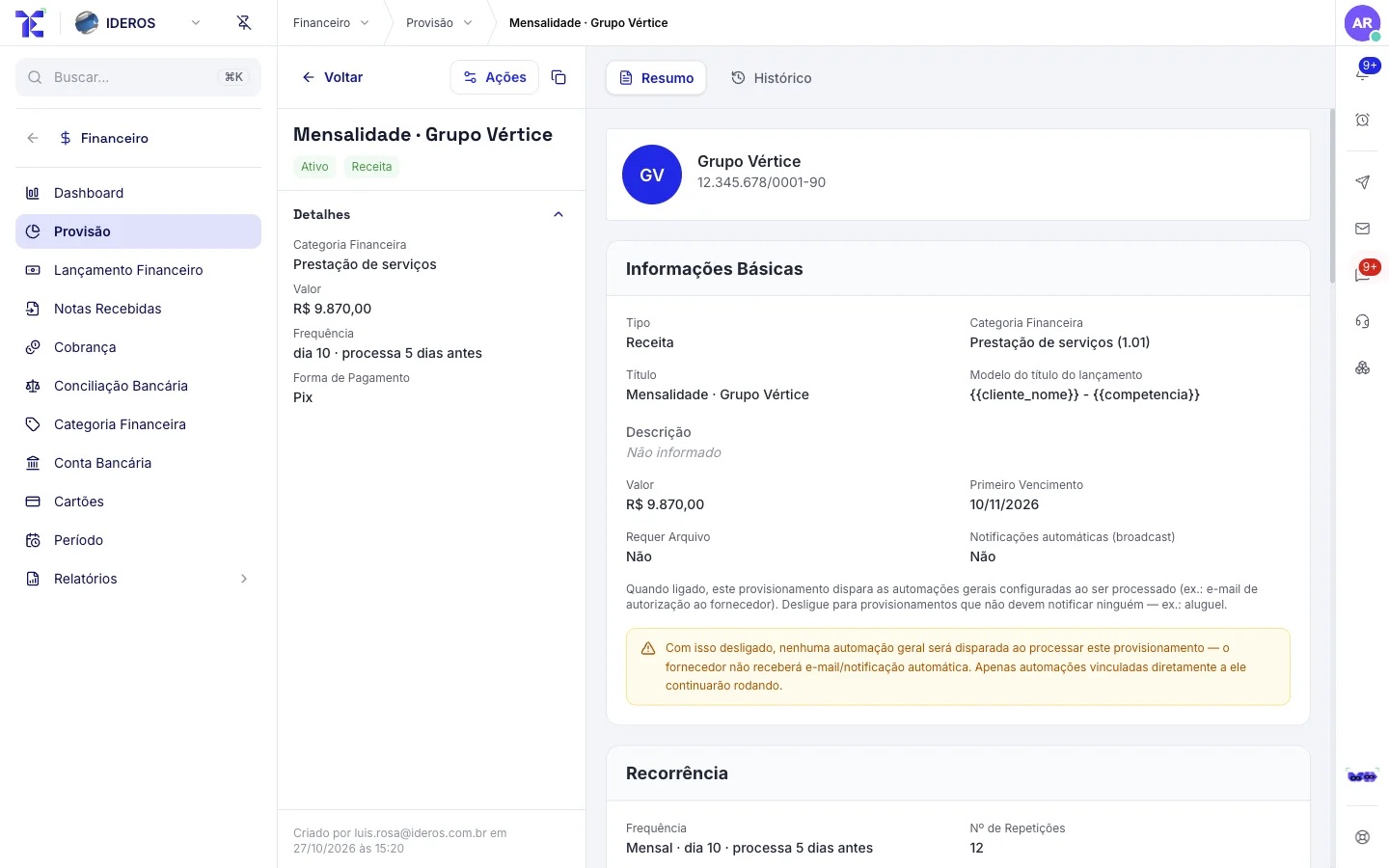
The month’s cycles are ready
Each active contract generates its billing cycle in provisioning. A cycle that fell behind? You decide whether to generate or skip it.
You: Review the month’s preview.
✓ Generates cycles for active contracts✓ Applies contract adjustments and variables✓ Sets aside what depends on measurementOnly active contracts generate cycles. Activate and block are in the row menu. Full rules in the guide →
- 2
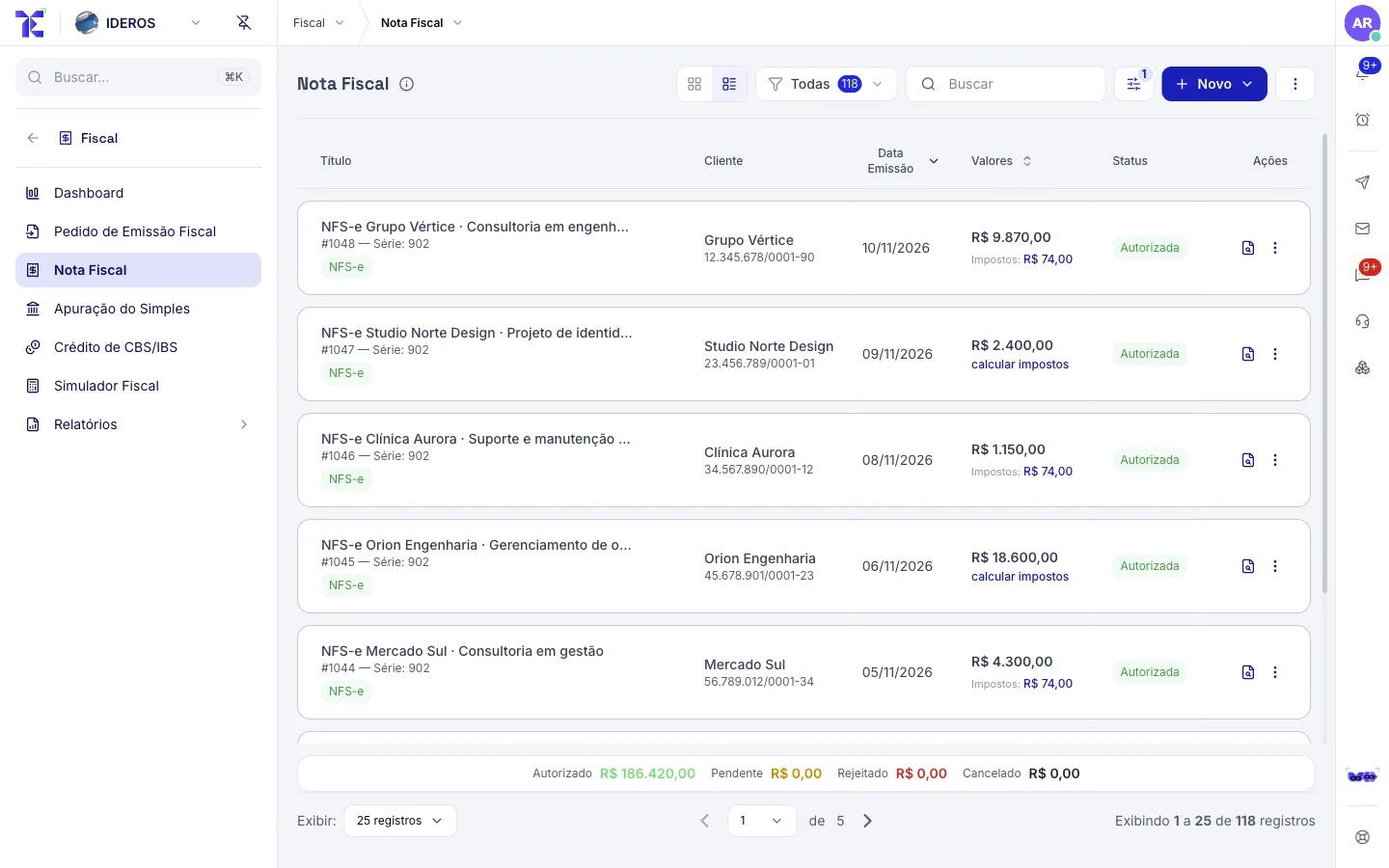
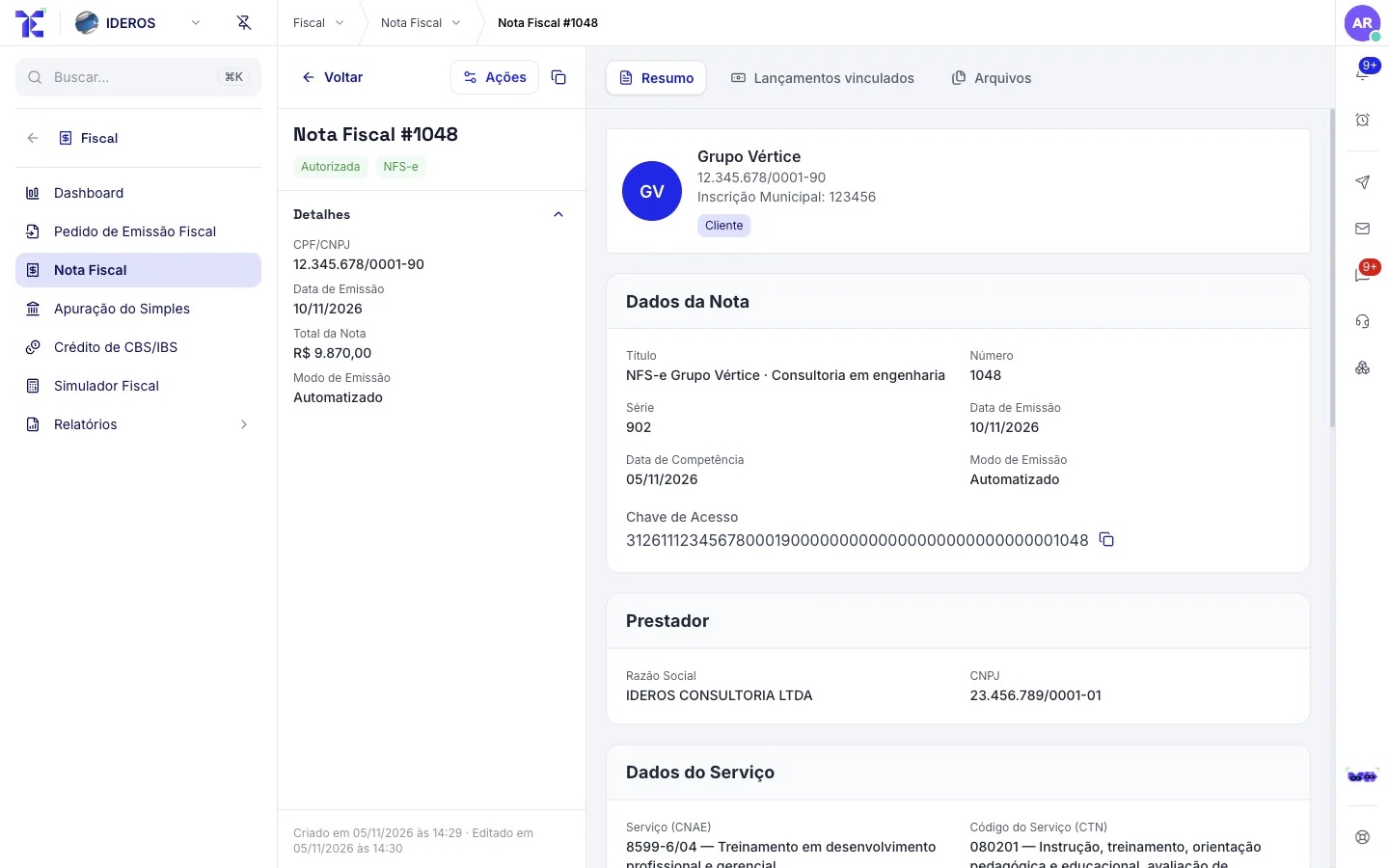
The invoice comes out ready
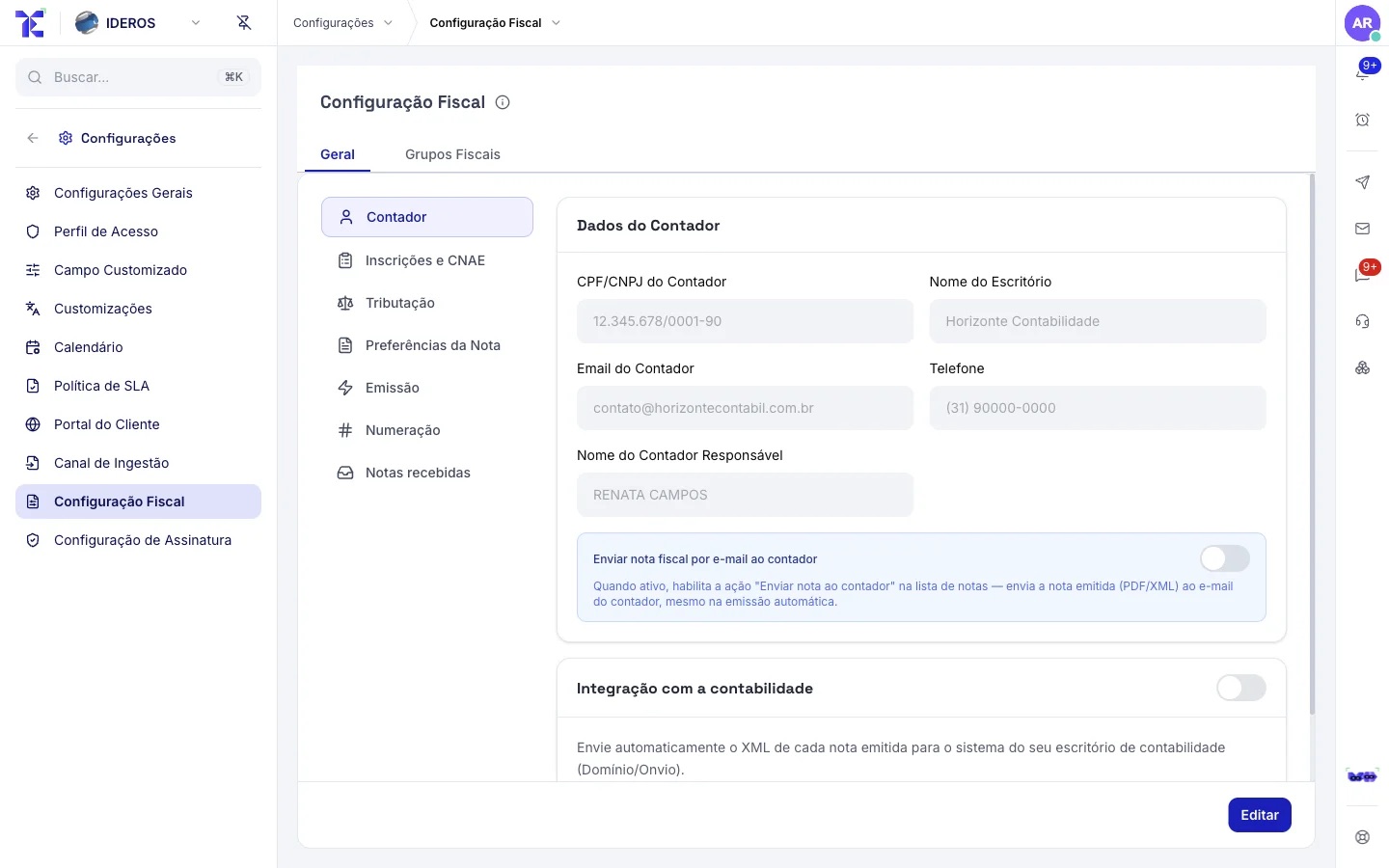
In each cycle, the invoice is issued through the Emissor Nacional with your certificate, with ISS, withholdings, CBS and IBS calculated, and comes back authorized with the XML and the PDF attached.
You: Nothing, if the cycle issues the invoice. For a one-off invoice, you click "Issue Invoice".
✓ Issues it and tracks the authorization✓ Attaches the invoice XML and PDF✓ Emails the invoice to the clientA rejected invoice comes back to you with the reason, without holding up the others. Full rules in the guide →
- 3
Boleto and Pix go along
The charge is created in your payment gateway (boleto bank slip, Pix instant payment or card) and emailed together with the invoice.
You: Nothing.
✓ Creates the charge in the gateway✓ Emails it with the invoice✓ Tracks the payment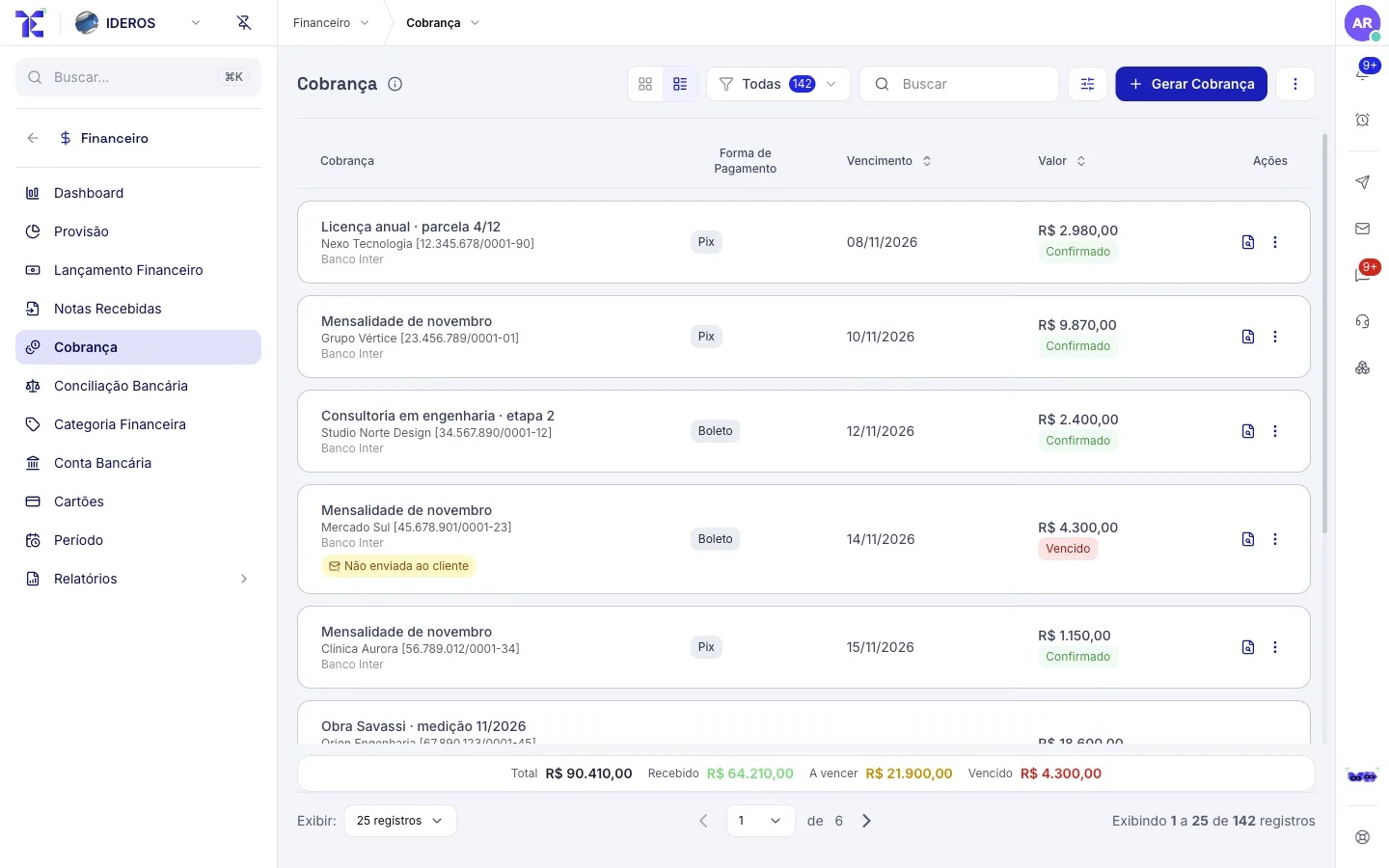
- 4
Reminders notify the client
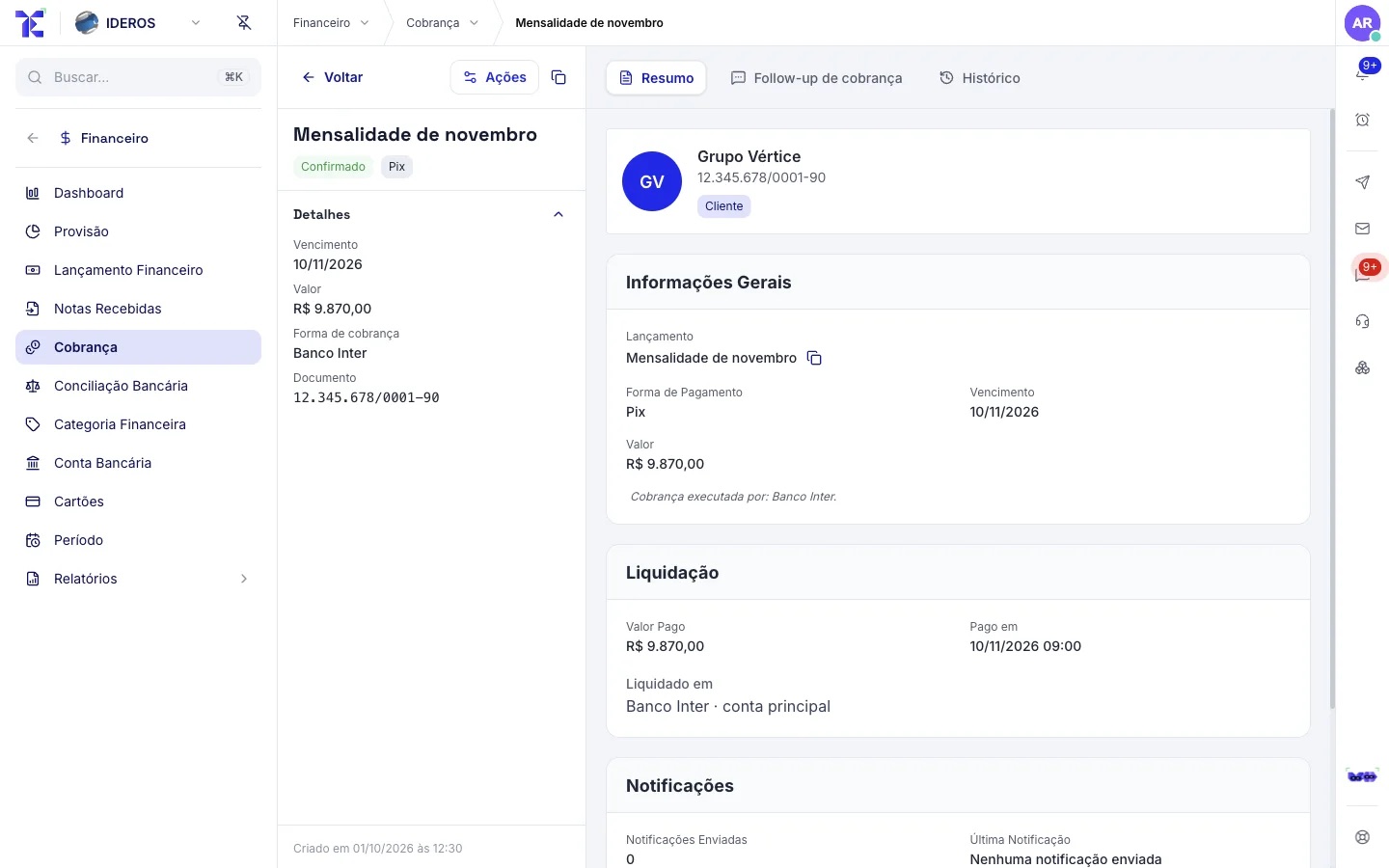
The client gets email reminders 7 and 3 days before the due date, on the day, and on the 1st, 3rd and 5th day late. You can adjust the days before the due date.
You: Follows up late payers in the collection follow-up.
✓ Sends the reminders by email✓ Logs each notice in the charge history✓ Shows who is late in the report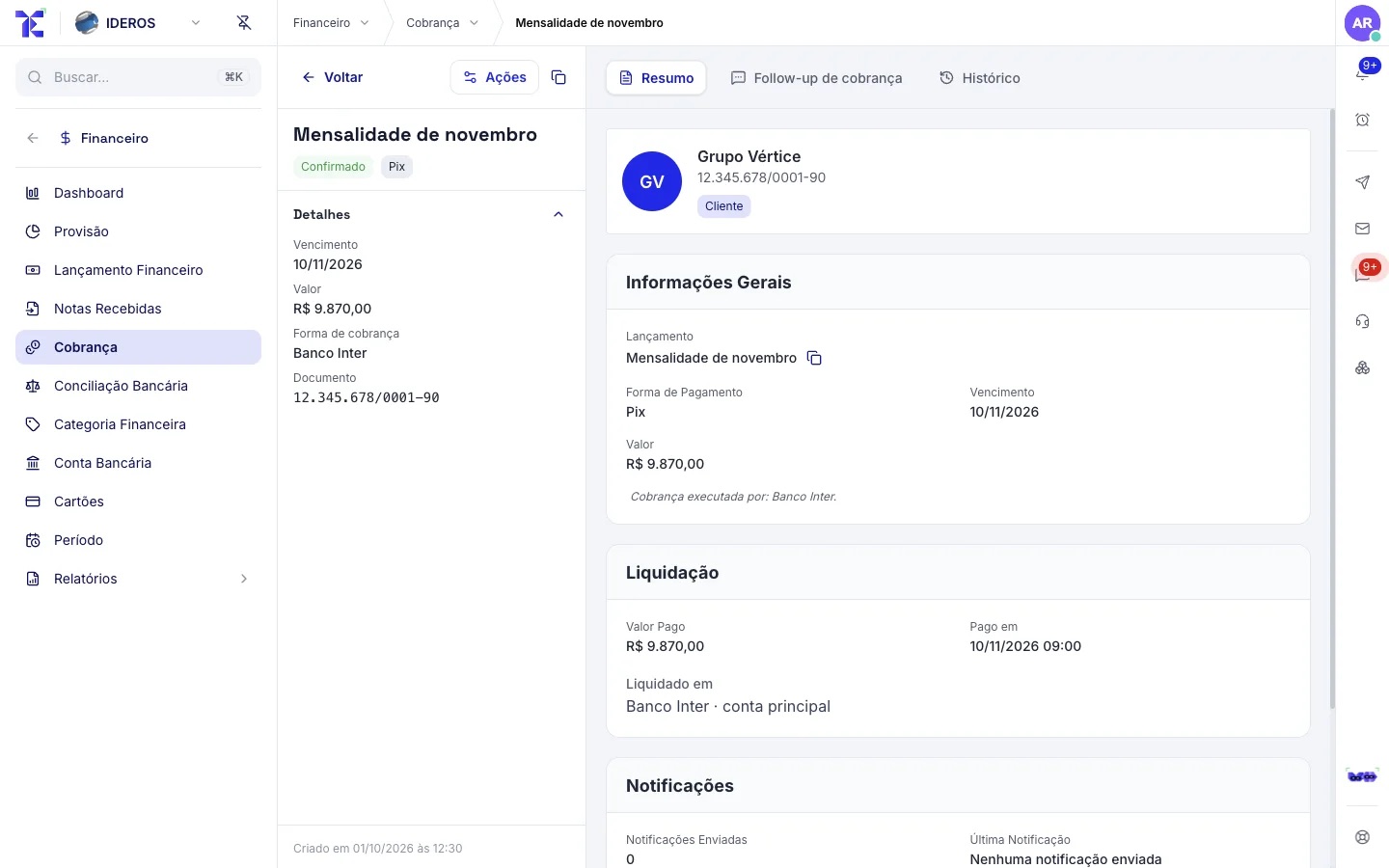
- 5
The money comes in and reconciles
The payment is settled automatically. In reconciliation, the bank statement arrives with suggested matches; you just confirm.
You: Confirm the reconciliation.
✓ Settles the payment in finance✓ Suggests the match with the statement✓ Posts the receipt to accounting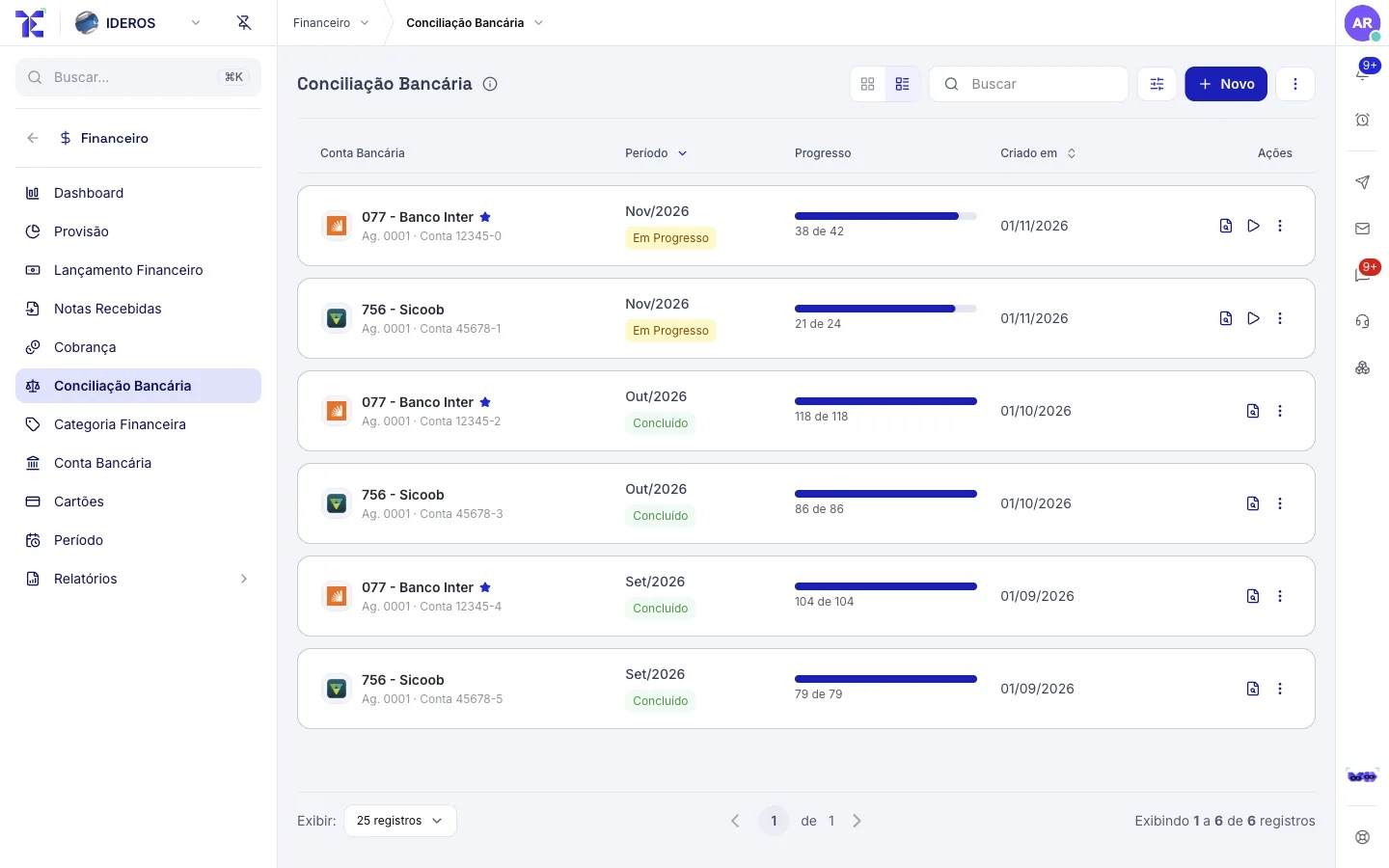
The supplier’s invoice becomes a bill to pay without anyone typing.
The supplier sends the invoice through a portal or by email, or it arrives through your CNPJ. AI reads it, classifies it and creates the bill to pay; above the approval limit, it asks for approval.
- 1
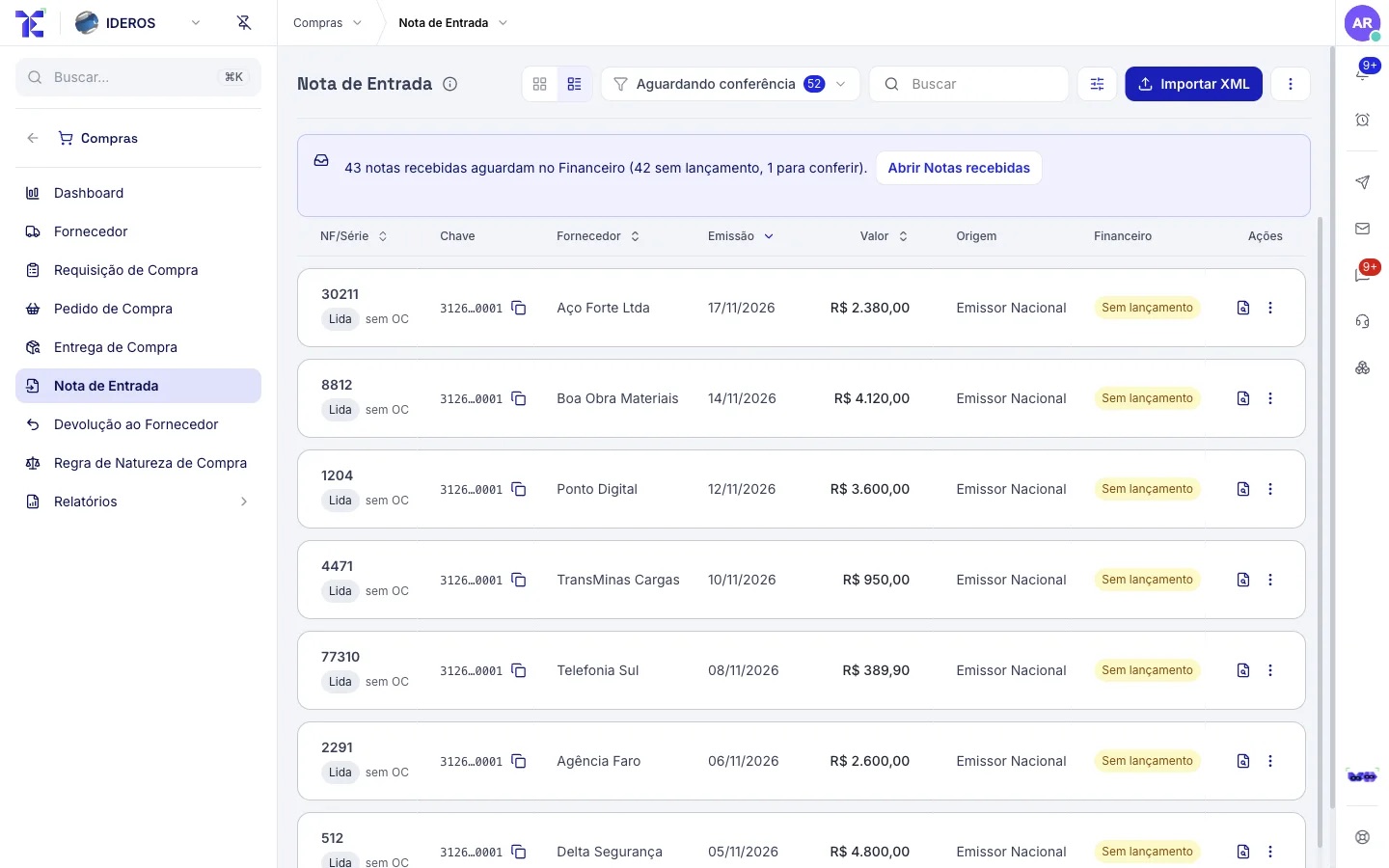
The invoice arrives on its own
Through the supplier portal (with a protocol number), your company email or the lookup of invoices issued against your CNPJ.
You: Nothing.
✓ Runs antivirus and reads the document✓ Extracts supplier, amount and due date✓ Links it to the purchase order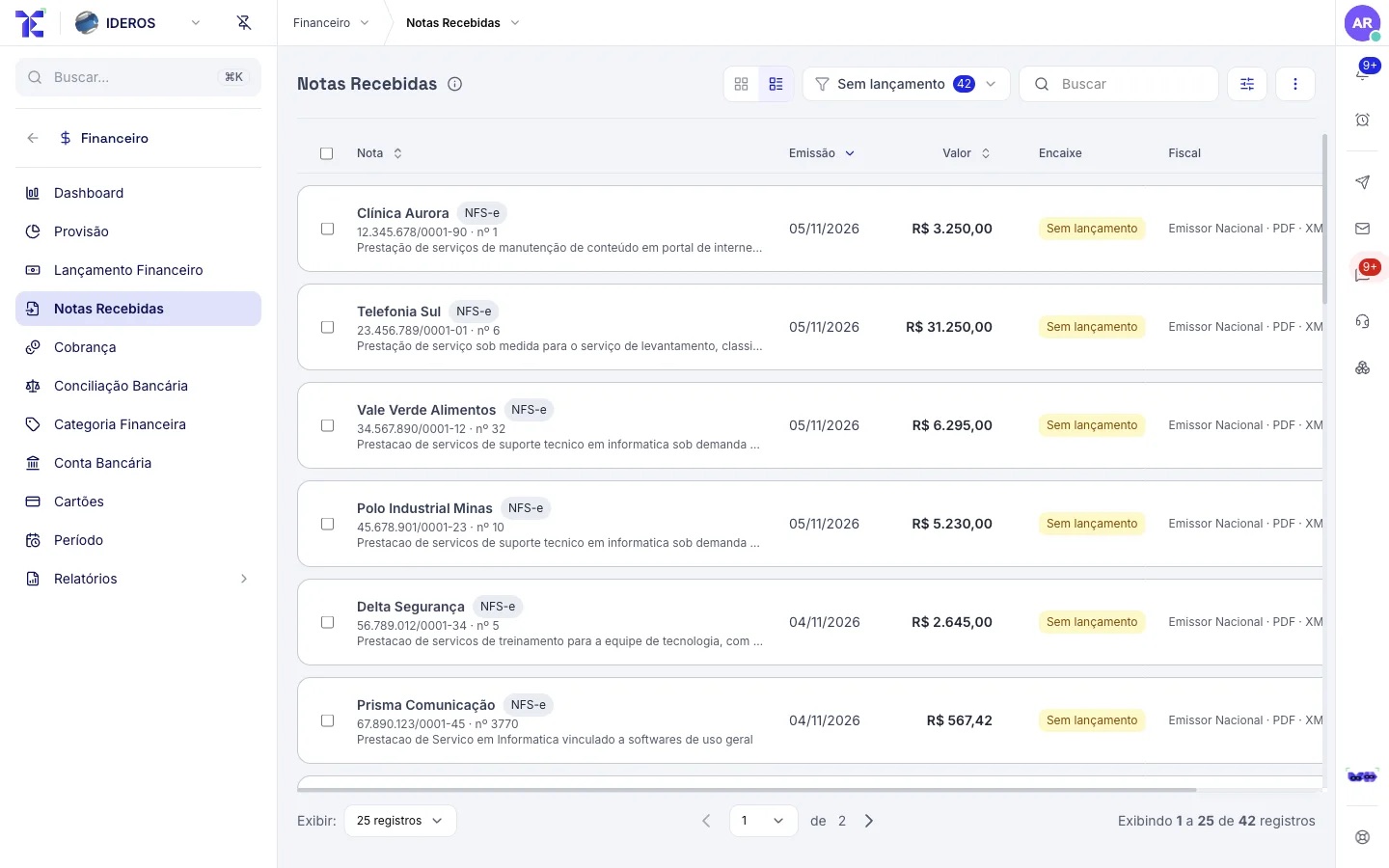
- 2
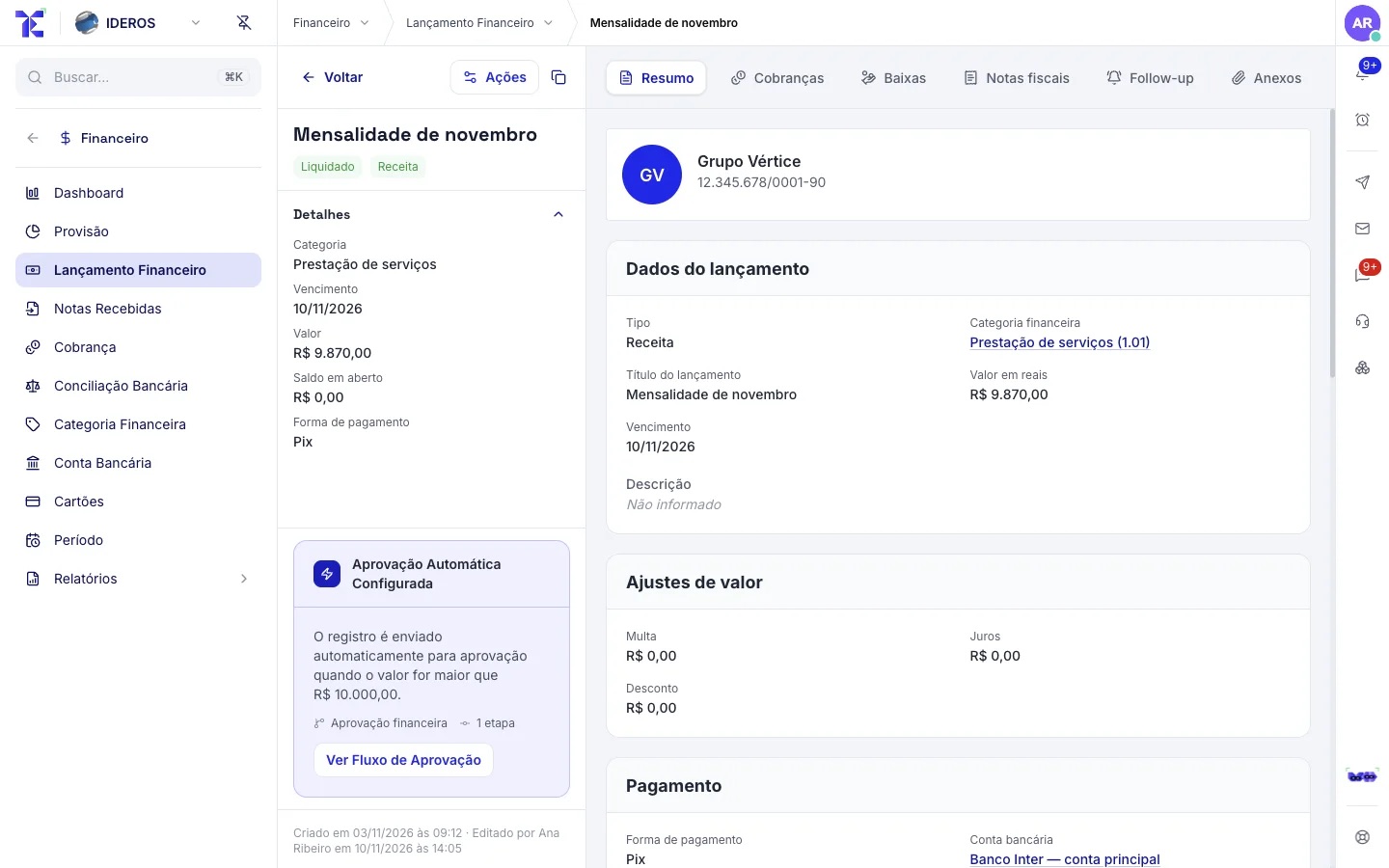
It becomes a bill to pay
The bill is created with category, cost center and due date. Tess can also enter one when you ask, in plain language.
You: Check it, if you want.
✓ Creates the categorized bill✓ Splits it across cost centers✓ Schedules the payment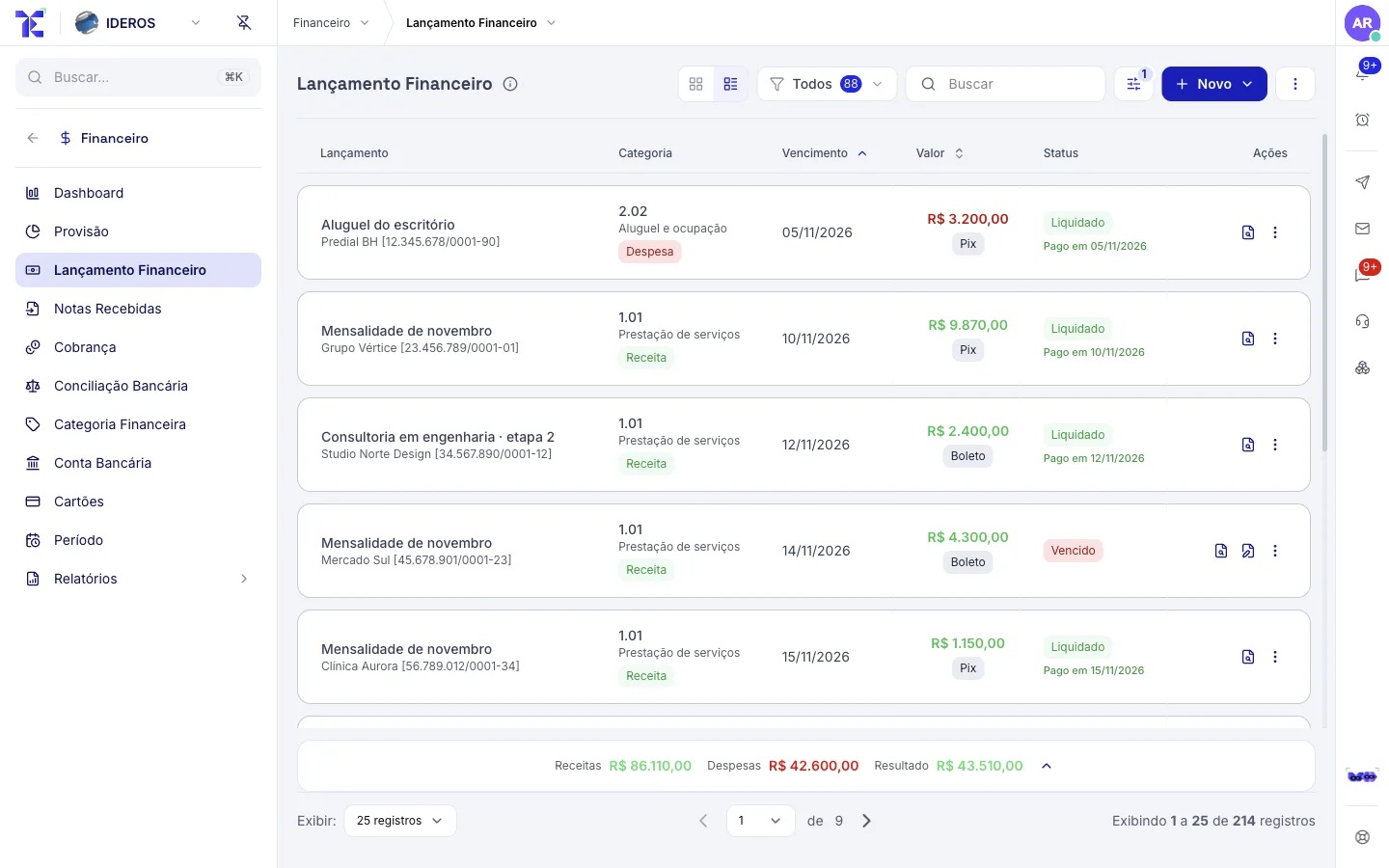
- 3
Approval by limit
Above the amount you set, the bill asks for approval from whoever holds that limit, with a history of who decided.
You: Approve with one click.
✓ Sends it to the right approver✓ Records the decision✓ Releases the payment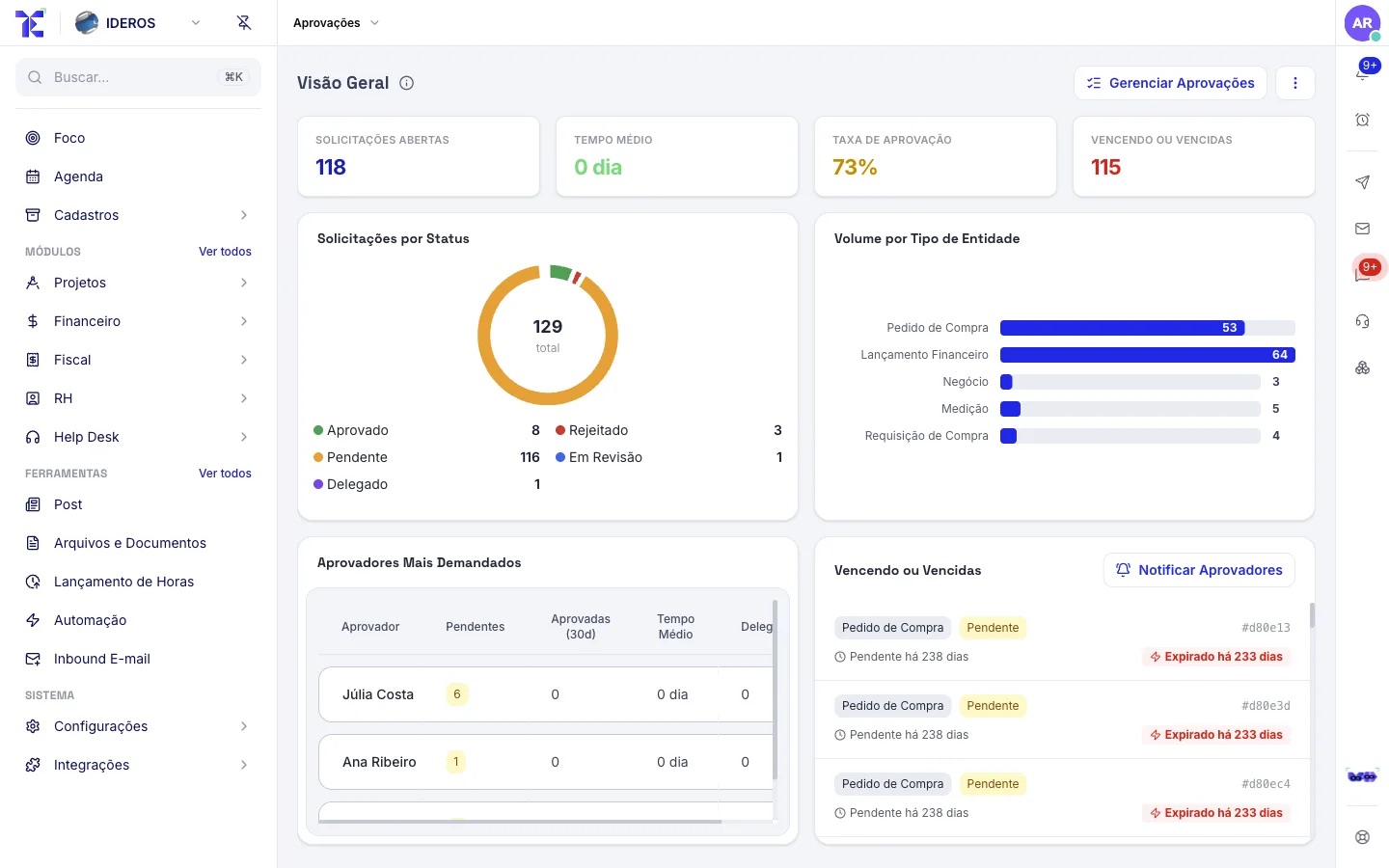
Month-end close stops being a week of chasing paperwork.
With everything reconciled, the accounting comes out of the entries, your accountant gets what they need, and you see the real margin and the health of the company.
- 1
Accounting without rework
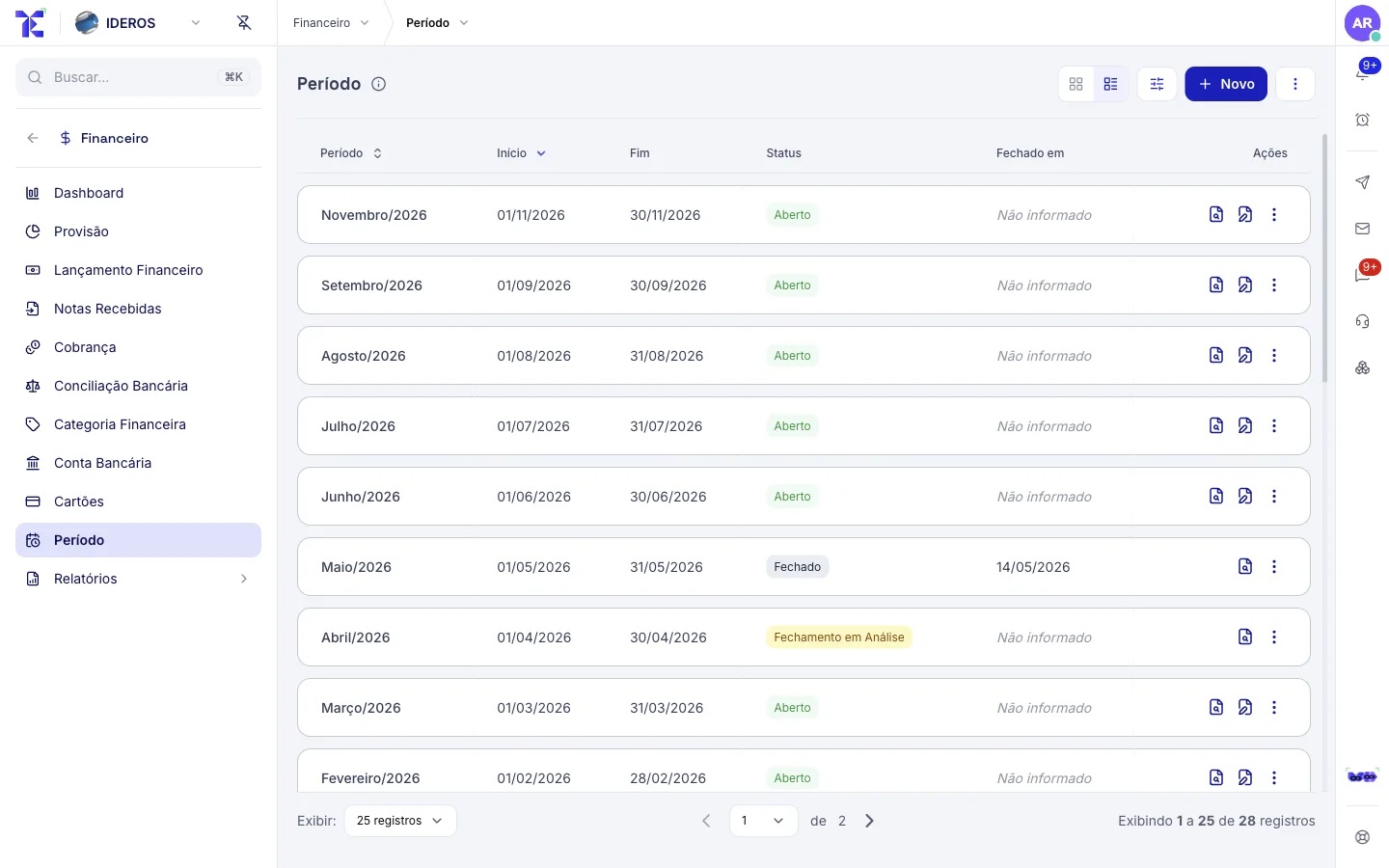
Each financial entry is created with its ledger account. The period is closed and your accountant receives invoices and entries without asking.
You: Close the period.
✓ Generates the accounting entries✓ Locks the period for editing✓ Makes it available to your accountant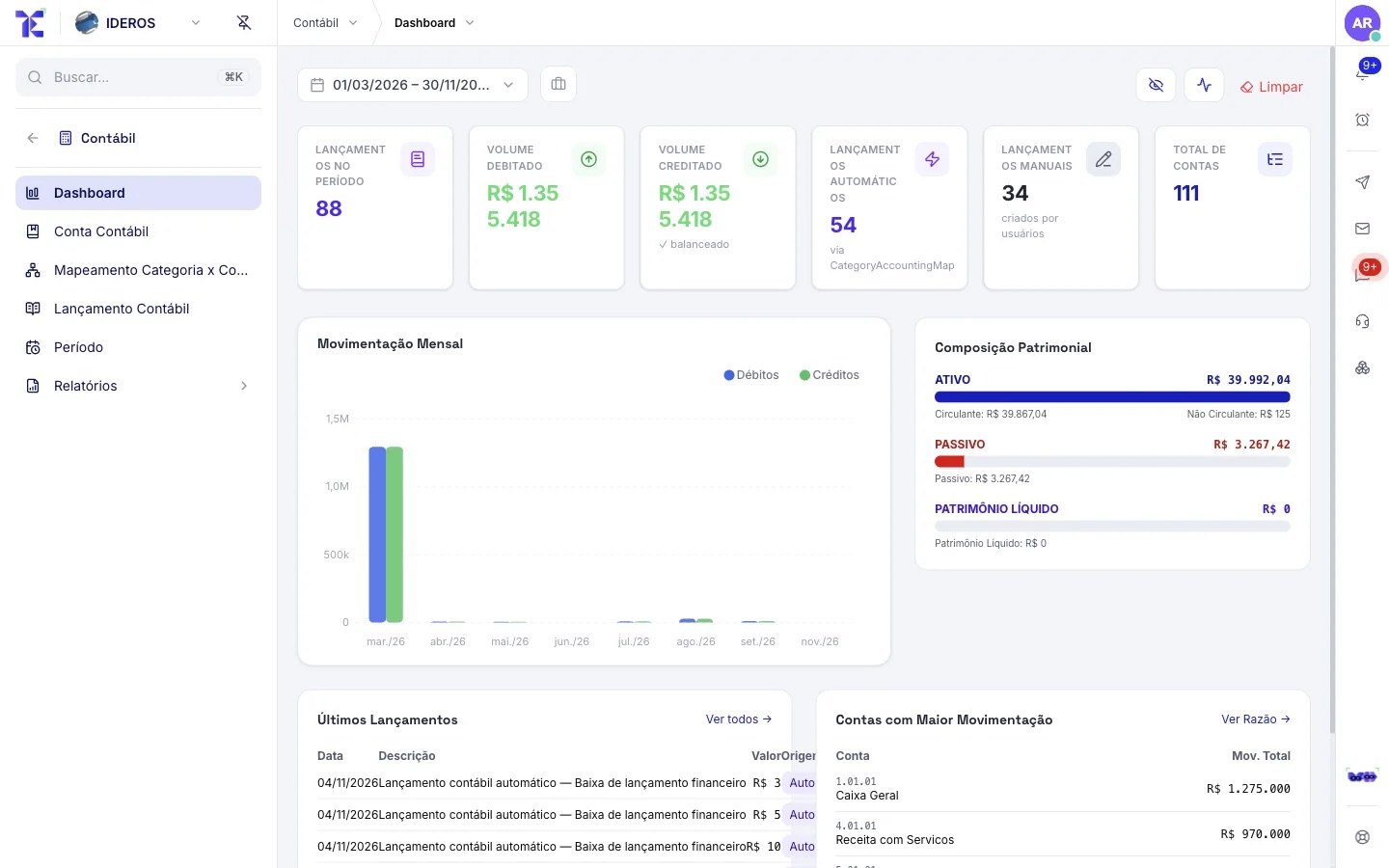
- 2
Real margin and company health
The margin of each project and client shows up with real cost. Company Health sums it all up in a score from 0 to 100, with what drags it down.
You: Decide.
✓ Calculates margin per project✓ Updates the health score✓ Elys points out what changed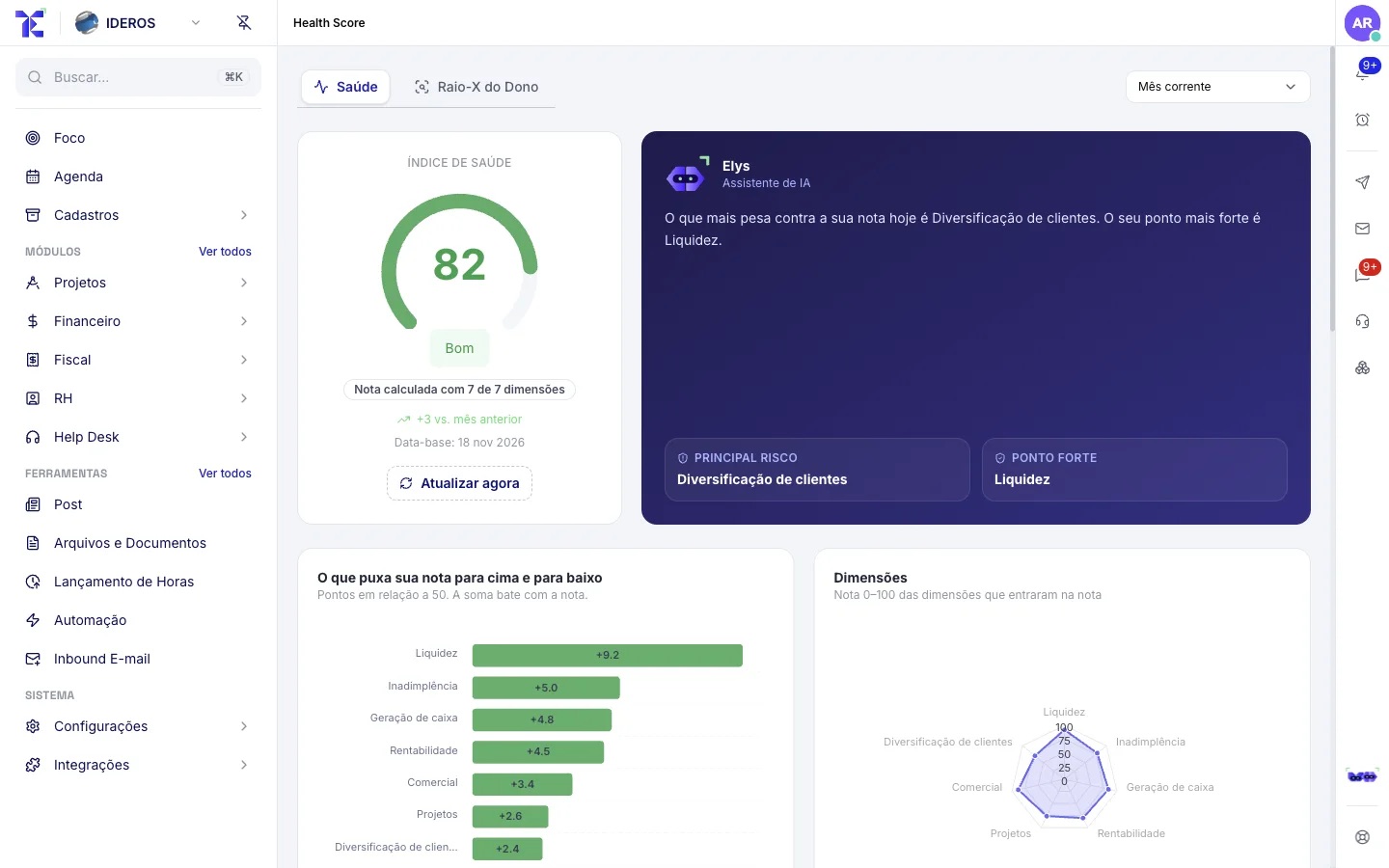
What holds the five flows together.
Ready-made automation
114 automations turned on from day one, plus 143 triggers and 27 action types for you to build your own. AI and approvals inside the flow.
Permissions per person
Access profiles by role, business unit and area. Each person sees and does only what is theirs, with MFA and SSO.
Everything audited
Who did what and when, on every record, including what Tess did at your request.